
Physical
Squats and step goals get them off the sofa — a guaranteed movement break between sessions.
For Android families
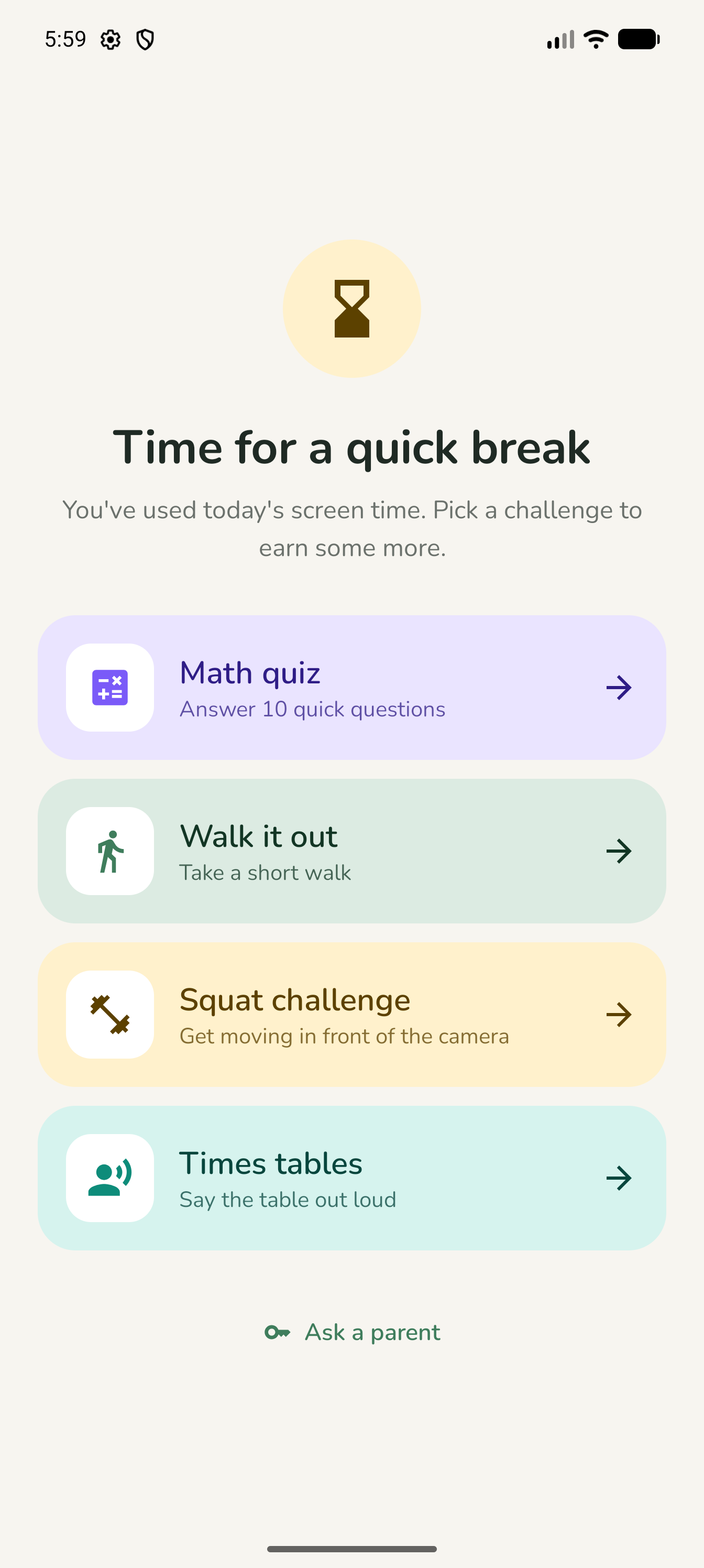
When the daily limit runs out, kids don't hit a wall. They earn more time by moving, learning and thinking: a quick set of squats, a round of maths, a times table said out loud, a few flashcards. Then back to the game.
The reality
In this day and age, keeping kids off screens entirely is close to impossible. Homework, friends, games and shows all live on the same device. Every evening turns into a negotiation — "five more minutes", "you said I could", "that's not fair".
Most limit apps simply say no. The screen goes dark, the child feels punished, and the fight starts anyway — just aimed at the phone this time.
A different deal
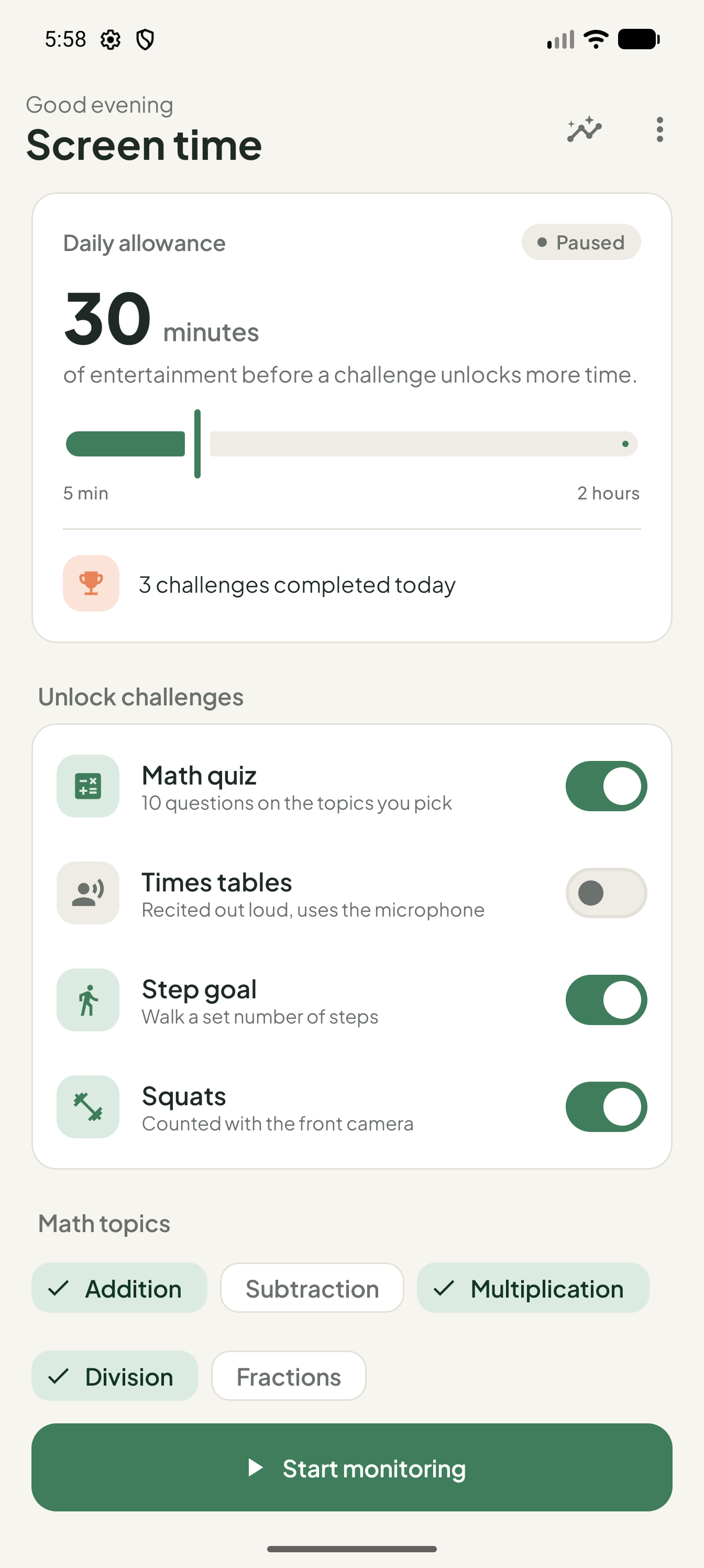
You set the daily allowance. When it runs out, your child can unlock more by completing an activity you've chosen. Every extra block of screen time comes with a built-in break.
Squats and step goals get them off the sofa — a guaranteed movement break between sessions.
Maths pitched at their school year, and flashcards on anything from capitals to science words. A few minutes at a time.
Saying a times table or a flashcard answer out loud builds recall and confidence. No typing, just thinking.
The 10,000-hour rule
Nobody masters the piano between videos. But five minutes of times tables here, a few flashcards there, twenty squats after lunch: it adds up. Every unlock is a few more minutes on the road to something they're genuinely good at.
How it works
Create your parent PIN, choose which apps count, set a daily limit, and pick the challenges your child can use to earn more time.
Your child uses their apps as usual and gets a friendly heads-up before time is up — no surprise cut-offs.
A playful lock screen offers challenges. Complete one, unlock more time. Your parent PIN can always override.
The challenges
Each one takes a few minutes. Short enough to feel fair, long enough to matter.
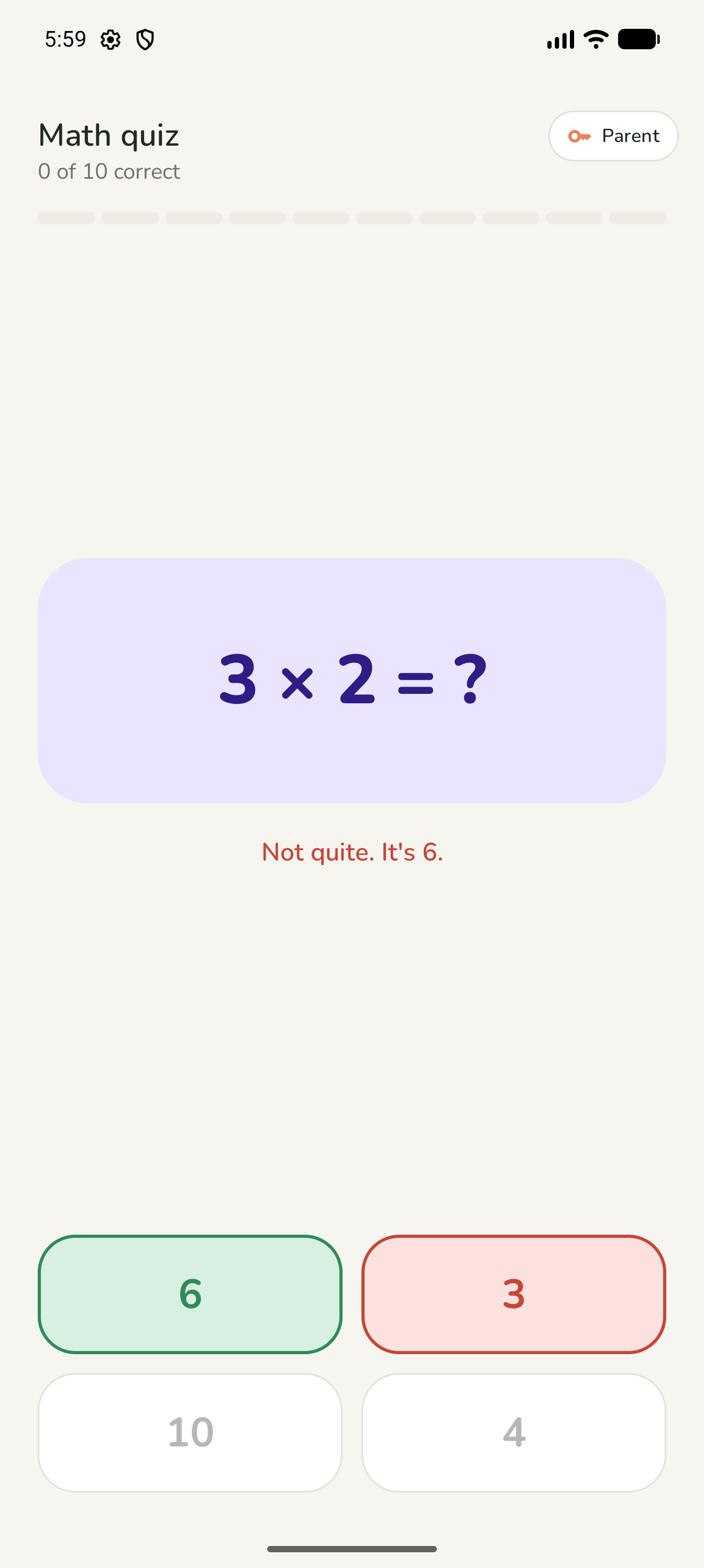
Ten questions pitched at your child's school year, from the topics you pick: addition, subtraction, multiplication, division and fractions. It gets harder as they get better, and brings back the ones they found tricky.
Answers go in on a big number pad, with a rough-work pad for working things out.
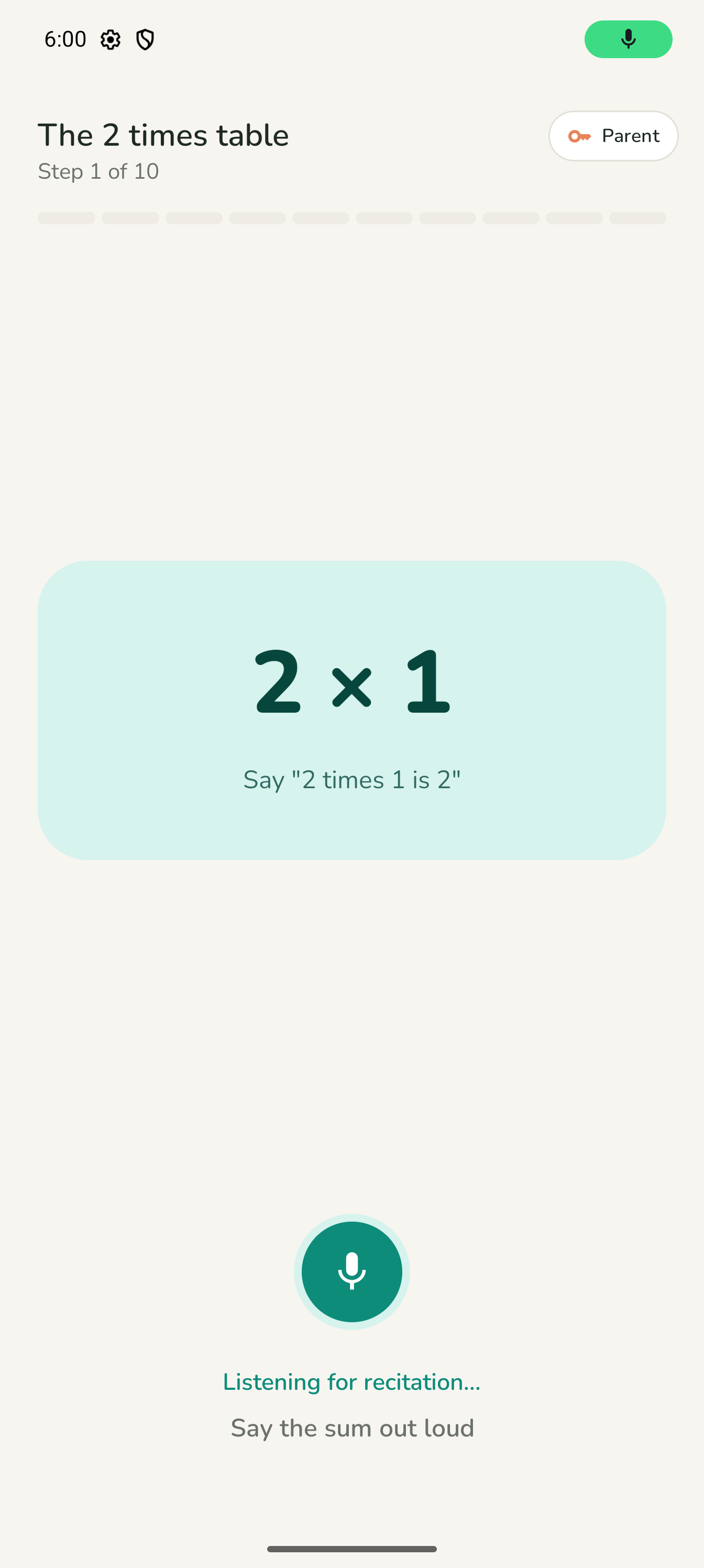
Kids say the table out loud ("three times four is twelve") and the app listens and follows along. Pick a range of tables up to 20, and each unlock asks up to 5 of them, a different one each time. Hide the answers once they're confident.
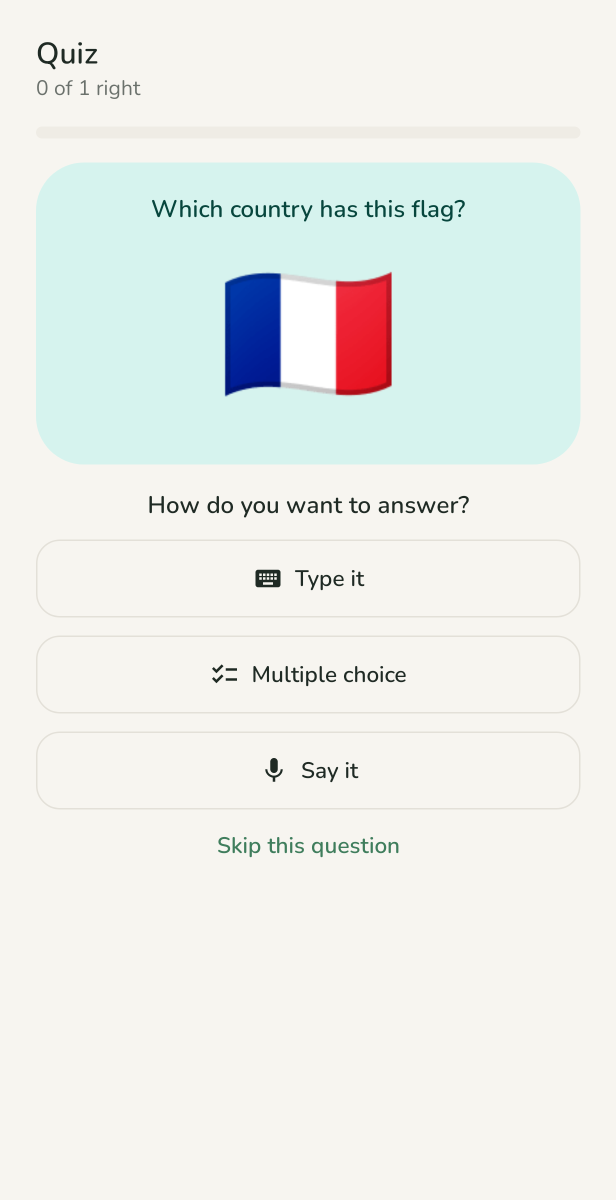
Twelve ready-made topics, from country capitals and flags to space, science words and the human body. Or write your own cards for this week's spellings.
Your child flips through 20 cards, then answers five of them by typing, picking from four options, or saying it out loud. Cards they miss come back until they stick.
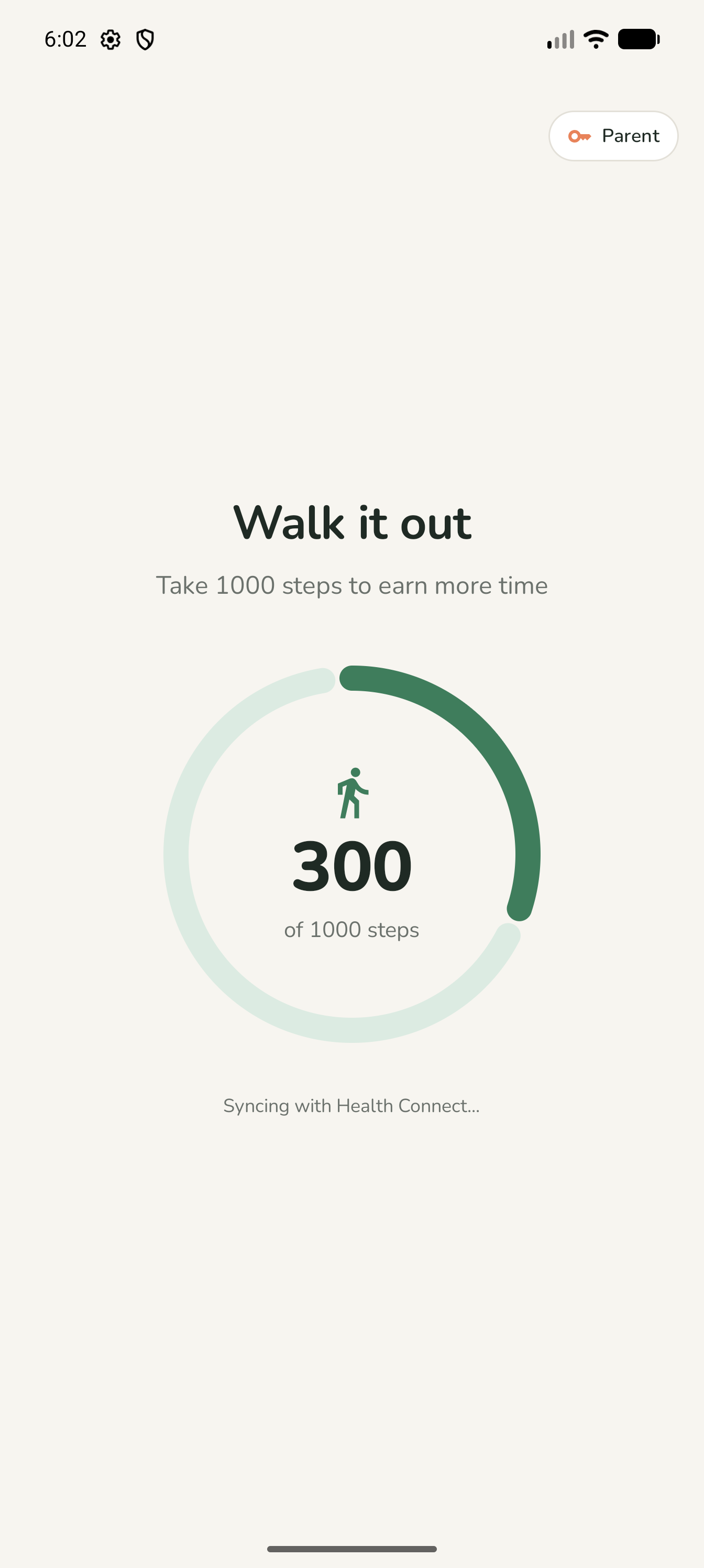
Set a step goal and the screen stays paused until they've walked it. Steps are counted by Health Connect or the device's own step sensor. A lap of the garden or a trip up and down the stairs is enough to break up a long session.
On-device pose detection counts each squat as it happens, and only proper ones count. No video is saved or uploaded.
Tell the app your child's school year in the UK, India (CBSE) or the US, and the maths and the ready-made flashcards are pitched to match.
Everyone wins
Insights & privacy
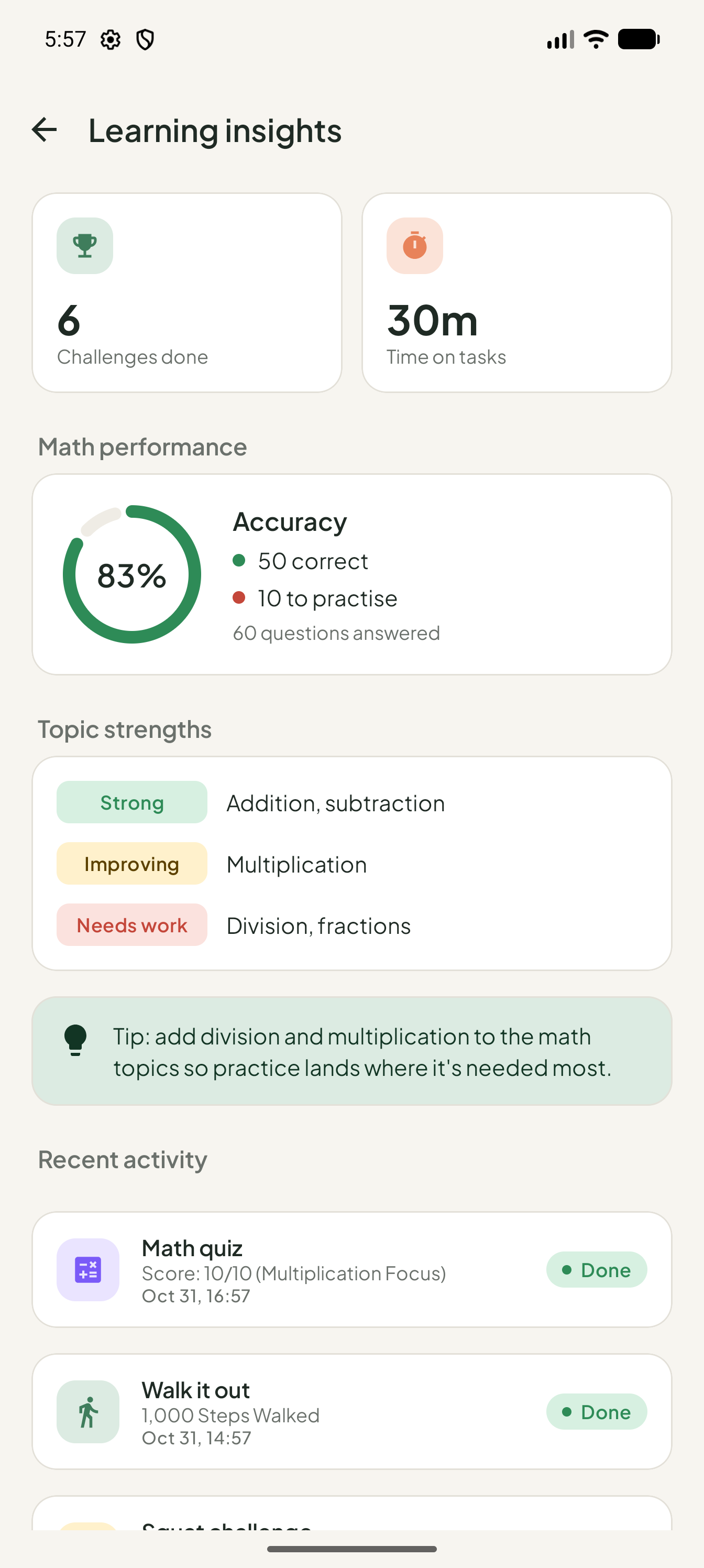
The parent dashboard shows more than minutes. See how many challenges were completed, which maths topics are strong and which need work, the questions that caused the most trouble, and a timeline of every quiz, walk and recitation.
FAQ
No. The goal isn't less screen time for its own sake — it's better screen time. Kids always have a way to earn more, and the challenges are designed to be quick and positive, not a chore.
It works best for roughly 6–12 year olds. You tell the app their school year, and choose which challenges are available, which times tables to practise, and how many steps or squats count, so you can tune it as they grow.
Only if you want it to be. The library is still being built. When it arrives it will be optional, with nothing switched on by default. Alongside texts from many faiths there will be poems and famous speeches, and you'll be able to add anything of your own, from a family prayer to a favourite rhyme.
The lock screen appears over the selected apps when time is up, and settings are behind your parent PIN. No app is impossible to get around for a determined child, but Tollo is built to make earning time easier than dodging it.
Your parent PIN can override the lock screen at any time. Long car journey, special occasion, or a challenge that isn't working — you're always in charge.
When you create your PIN, the app gives you a recovery code to write down. You can also add a recovery email: tap "Forgot PIN?" and the app emails you a link that lets you set a new one.
No. Limits, challenges and history all work with no account and no connection. Two things go online, and only if you turn them on: a recovery email, and sharing recitation text to help us improve the app. Answering out loud uses your device's speech service, which on some devices needs a connection.
Not unless you choose to share it. Everything the app records about your child stays on the device, and we never receive it. There are no ads and no analytics, and squat counting happens on the device itself. The privacy policy sets out the two optional online features and how to delete everything.
Android phones and tablets running Android 8.0 or newer.
Usage access and "display over other apps", to know when time is up and show the lock screen. The camera, microphone and step counting are asked for only if you switch on a challenge that uses them. The privacy policy lists each permission and why it's needed.
Tollo is in early testing. Leave your email and we'll let you know when it's ready for your family.
Thank you! You're on the list, and we'll email you when Tollo is ready.